
Is cybercrime a problem for only the biggest businesses? Are SMEs really in the cross-hairs for cyber criminals?
Criminals and bad actors are actively probing the smallest end of the business market and looking for whoever has the weakest security. Being small is not a protection.
The UK government’s Cyber Security Breaches Survey 2025 found that 35% of micro businesses and 42% of small businesses identified phishing attacks in the last year. Let’s look at some other stats that came out of the survey, check in on the most common issues SMEs face and then I’ll outline my simple 4-week Spring Cleaning plan.
July 19th, 2024
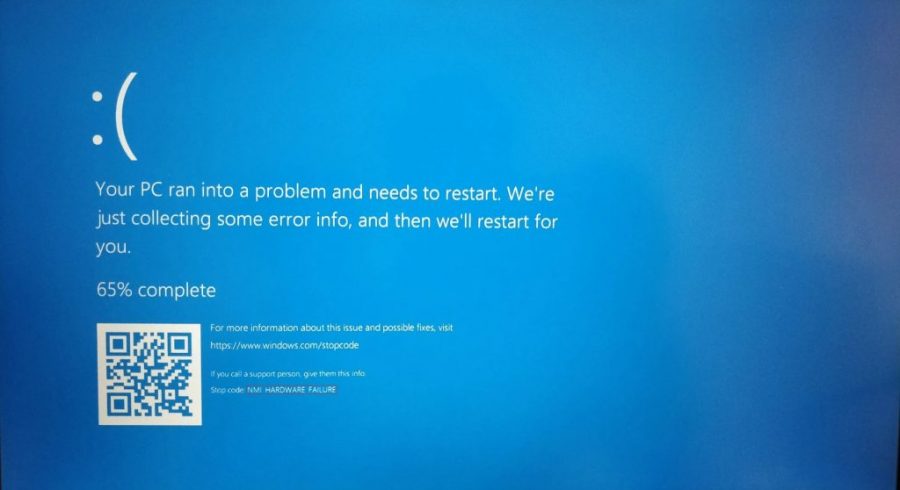
Do you remember seeing pictures of airports with huge banks of monitors, all of them displaying the ‘blue screen of death’ (see intro image)?
This wasn’t a cyberattack. It was a relatively insignificant ‘rapid response’ update. It’s the kind of update you’re encouraged to install as soon as it’s available. And it was from a trusted and respectable vendor, CrowdStrike.
After installing, a minor logic error meant that every time the computer tried to wake up, the error was seen as a threat, and the computer refused to load. Because the code was installed into the kernel, or operating heart, of the system, even the tools you would use to fix a problem refused to open.
Estimates say that across the world, on that one day, $5 – 10 billion was lost. Did CrowdStrike have to pay any of that back? One report says, due to the service agreement, they were liable for as low as $500 million. So virtually none of the lost money. For most small businesses, because Crowdstrike issued a fix within 24 hours, the agreement said that any losses had to be borne by the vendor.
Shooting Themselves in the Foot
What makes this so awful was that It was self-inflicted. CrowdStrike made the initial mistake in the rollout and company after company obediently accepted the update.
Often for a small business, decisions are a trade off between convenience and security. The fastest way to get things done is not always the safest. Multiple internet-connected devices, off-the-shelf products with default configurations, and a network that you might not own or don’t understand.
Shared passwords, missing multi-factor authentication (MFA), poor backups, old systems, or nobody clearly responsible for updates and recovery. The IT strategy could become, ‘We’ll sort it out later’.
‘Later’ Or ‘Too Late’?
Attacks can be direct:
A single weak password practically destroyed KNP, a transport company in Northamptonshire. They lost all their data when they couldn’t afford to pay the ransom demand. 700 people lost their jobs.
Or hit you from your supply chain:
In Easter of 2025, M&S’s online store closed for 7 weeks due to an attack. It cost them an estimated £300m in lost profits. The Co-op had a similar attack around the same time. But, the attack also affected M&S’s suppliers. The Black Farmer in Brixton supplied both of the supermarket giants. The result? The attack wasn’t aimed at them but they lost thousands of pounds of revenue.
Insider Risk
STAT 1:
Overall, 19% of businesses reported having staff training and awareness raising activities for cyber security.
In many SMEs, the real danger is normal people doing normal things. Just going about your daily work contains a number of touchpoints with the outside world that could hide a threat:
- Sending information
- Clicking on links
- Downloading something useful
- Plugging in a device
- Trusting an external request
We’re All Vulnerable
We started this blog with the CrowdStrike issue. You may not be using CrowdStrike but you are likely using Microsoft Defender, Bitdefender or relying on your Mac to keep you secure.
Anthropic (an AI industry giant) recently announced Project Glasswing. They have developed a new AI model called Mythos which is extremely good at finding security vulnerabilities in existing, widely-used software. Project Glasswing is Anthropic’s offer to provide this model to major, widely used software providers in advance to help them fix their issues. How many of the major players had issues in their software code?
Mythos Preview has already found thousands of high-severity vulnerabilities, including some in every major operating system and web browser.
Phishing Scams:
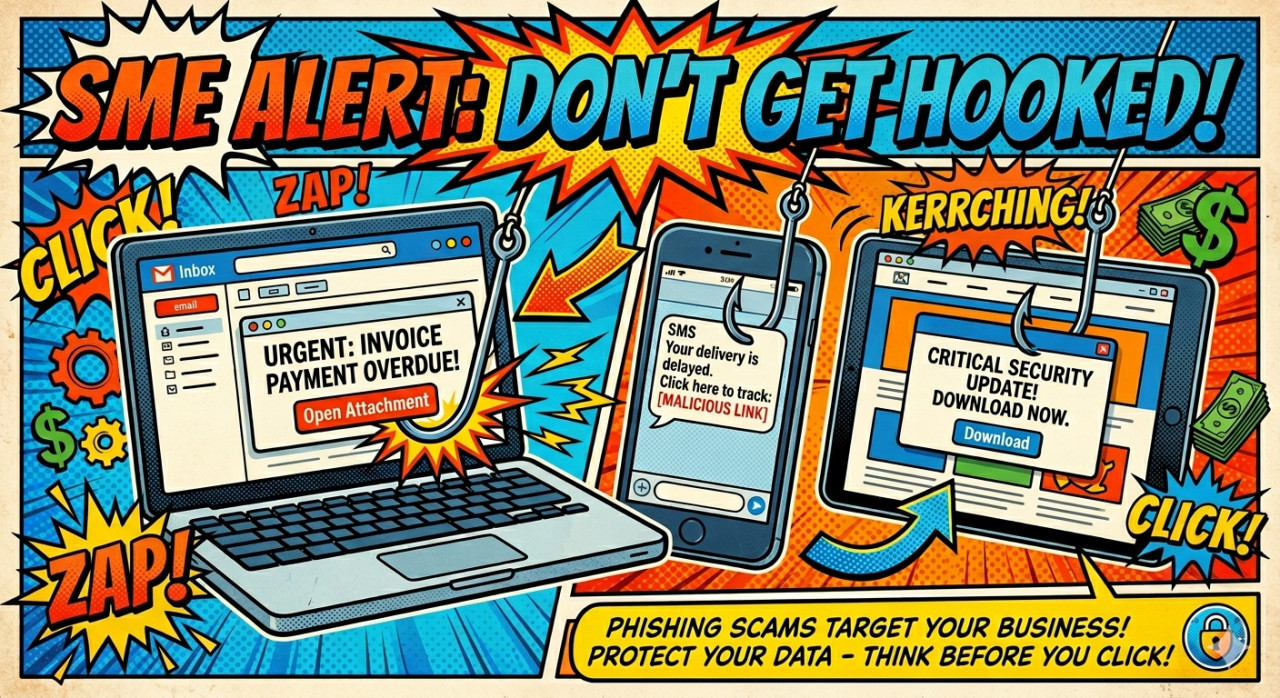
These are still the most common and effective method that bad actors use to compromise your business. They want access to your passwords, your customer data and your cash. They sell on your valuable personal data. This risks your customers and your company reputation.
AI is making scams are even more sophisticated as research about you and your business is faster and easier. Emails sound like people you do business with wrote them. Calls sound like voices you know. Urgent requests for information might include the names and contacts of your clients. Criminals who infiltrate your network can encrypt your data remotely and demand a ransom to return it to you.
USB Drives, USB Devices and Charging Cables:
Any USB device could auto play and begin to copy your data, memorise your key strokes, take screenshots of your activity and silently transmit them to the Internet. They can implant software into your computer that continues to run after you have taken the device out. Once connected successfully to one computer, they can infiltrate other devices on your network.
Downloads and Malware:
Free, useful software may be open-source (available without charge and come from a reputable source. Some websites are marketplaces for tested and virus free software. This software may have limited functionality until you buy a more advanced version.
But, if something is free, re-consider why. ‘Free’ may mean the software includes something more dangerous.
Zero to Cyber Hero: Simple Steps
STAT 2:
Only 4 out of 10 businesses have adopted more advanced controls like multi-factor authentication (MFA).
Passwords:
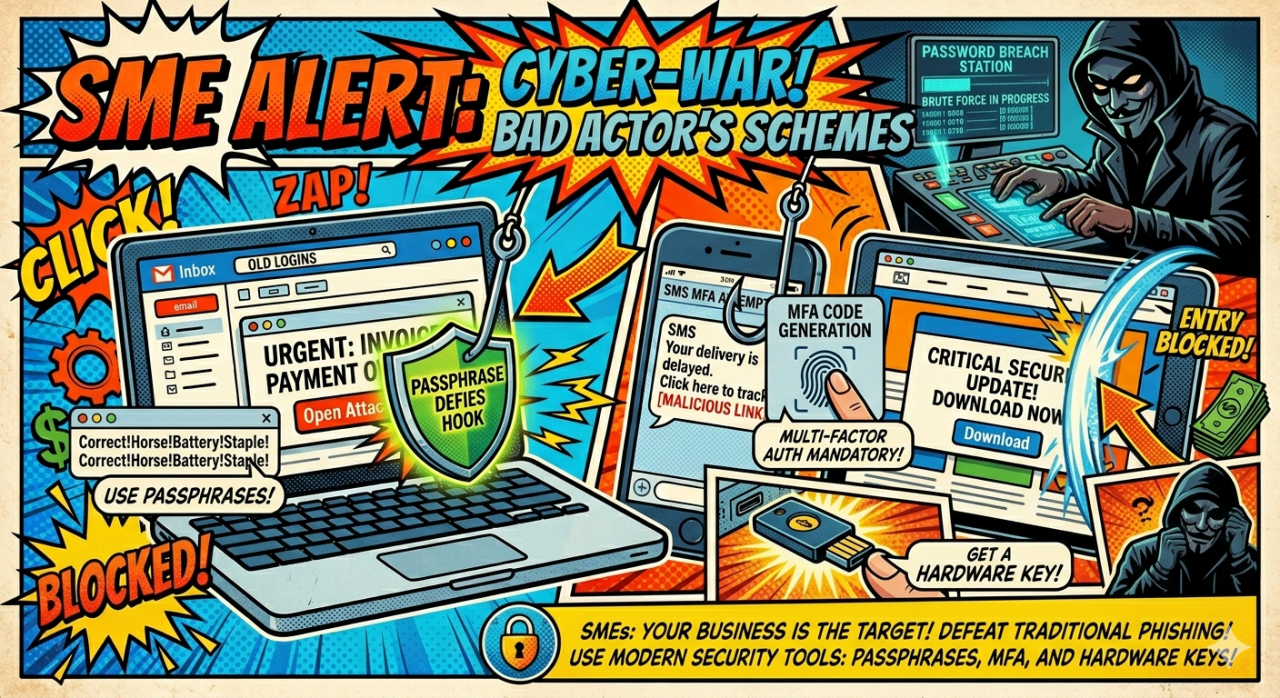
Don’t use the same password, or slight variations, across multiple accounts. Ban password reuse for business accounts.
Why? Now that everything is digital and your username is likely to be your email address, as soon as criminals gain your password, they can almost immediately try all your other accounts. Any similarity makes their job much easier and quicker.
Password Managers:
Long, complex passwords can be stored in an encrypted folder that is locked by one memorable Master Password.
Why? Only the Master Password is at risk. Make it easy enough to remember so that you don’t have to write it down anywhere. All your other passwords are now much safer because you don’t need to remember them. When prompted for a new password, your browser or device will give you a pop up asking you if you want it to create a password on your behalf.
Passphrases:
Make your Master Password a passphrase. Length is more important than complexity. It’s longer but still relatively easy to remember. Personally, I like to think of a cartoon or television show catchphrase e.g. It’sAnAce!HigherOrLower? That’s 24 characters long but it’s something you can remember (at least if you’re familiar with Get Your Cards Right).
Multi-Factor Authentication:
Your account prompts you for a number. An app on your phone has to be opened to provide you with a unique personal number which updates every 30 seconds. Download an authenticator app.
Hardware Security Keys:
For your most important accounts, this looks like a thumb drive. You either plug it into a USB port or, for a smart phone, place it against the NFC sensor on the back of the phone. This means your account can only be unlocked when you are physically present.
Why? These are the current gold standard. They are almost impossible to replicate or intercept. Buy two keys and set them with the same PIN in case one gets lost. No passwords are stored. Instead, a Private and a Public key are set up for each account you wish to use it for. Once set up, when you sign in, you’ll be prompted to press a button on the key, or place it against your phone, and the key will use its Private key to complete a challenge and send back the answer (‘sign the challenge’). The website will then use the previously shared Public key to verify it’s you.
Zero to Cyber Hero: Your Set Up
STAT 3:
Less than a third of businesses (31%) had set up a virtual private network for remote staff. Almost the same number (30%) had active user monitoring
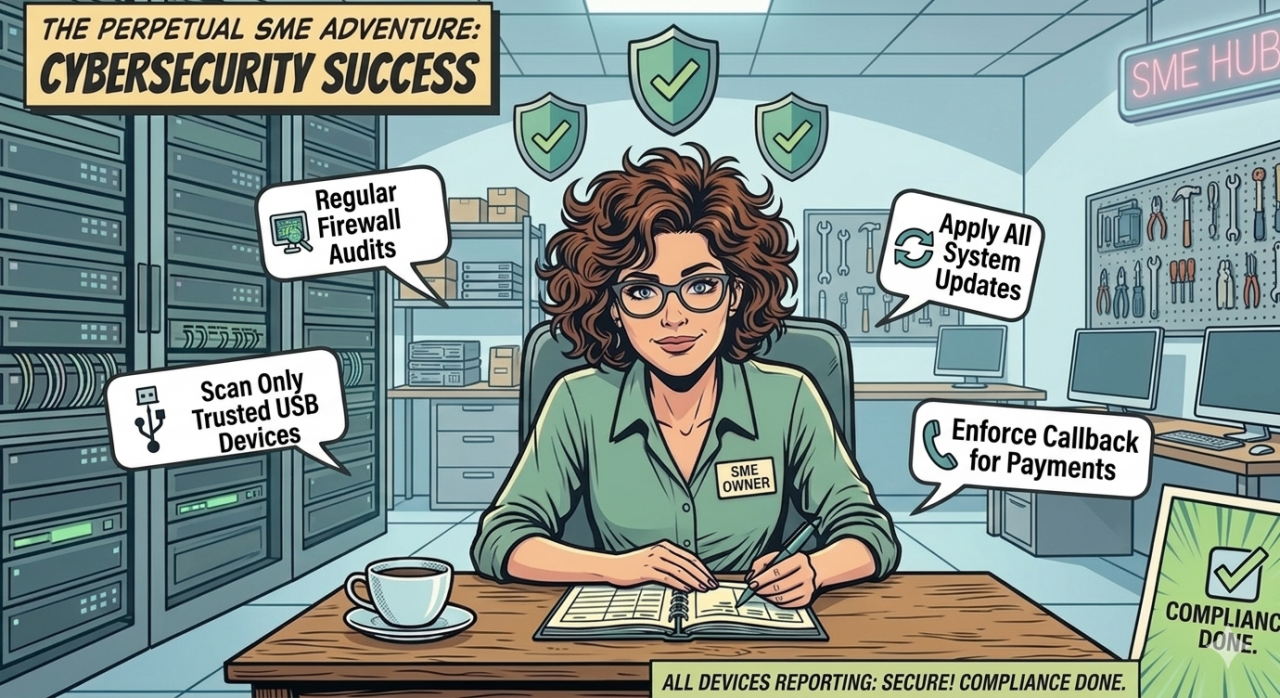
Restart, Don’t Just Close the Lid:
If you’re using a Windows computer, the system memory only fully clears if you Restart your computer. Shutting it down saves the current state and then re-awakens it back to where it was. Shutting the lid is like interrupting your computer mid-flow. All your software will still be running.
This is counter-intuitive but your computer will be healthier if you Restart it more regularly. The drivers get a fresh start so there’s less chance they are corrupted. And when you Restart, your software gets a reset and any updates that have been waiting to kick into gear are all applied.
Updates:
Don’t updates just add more code to my computer’s memory and slow it down? After a big update, your system is crunching away in the background making all the changes and your device may well be slower for a few hours. However, updates are intended to remove code which is leaking RAM memory (using up memory space but not releasing it when it’s finished). Replacement code is more efficient and should get you running faster. But, the real reason to keep updating is safety. Patches fix potential weaknesses. This includes your router which can take a bit of effort to update if you’re not controlling it via an app. Connect using an Ethernet cable for security, log in to your router through your browser, and find Firmware Updates or Router Upgrades.
USB And Other Plug-in Devices:
Only use USB, thumb drives and cables that you bought yourself and you know no one else has used. Switch off Autoplay settings so that any foreign device that identifies itself as a USB drive. This prevents your computer automatically recognising and activating it.
Firewalls:
Change any default passwords. Your firewall may be set up to open a hole (or port) to allow an area or system inside your network to be accessible from the wider internet. Run an external port scan using reputable scanning software to test if there are open ports that you did not authorise.
Check your router’s firewall too. If the network isn’t yours, you may need to configure an additional firewall on whatever software that network is using. Turn off Universal Plug and Play (UpnP), disable remote admin (unless you absolutely need it) and any Wi-Fi Protected Set Up.
Staged Rollouts:
Larger companies with a range of devices and connections to their network should consider this. Give a small percentage of your workforce permission to download a new update. Allow enough time to test for any immediate issues. After, broaden the rollout to a larger number of staff and finally the whole company. If something like the CrowdStrike issue happened again, this process would limit the damage it could cause.
Back Ups:
Keep one backup separate from your day-to-day network. If you leave the place you save your back up is a separate drive, disconnect it between back ups. Otherwise, bad actors that infiltrate your network can encrypt it remotely just like all your other data.
Verifying Payments:
Finally, implement a callback rule whenever someone contacts your company regarding a payment or bank information changes. Ensure your staff know that they must disconnect the call, find a phone number they already trust and call the individual back before making payment.
Government Assistance: Cyber Essentials
The Cyber Essentials scheme is a UK government-backed programme that provides companies of all sizes with a checklist of practical steps to take to protect themselves against online threats. Good news is that, just last year, organizations with Cyber Essentials in place made 92% fewer insurance claims. The programme includes access to free cyber insurance, including a 24/7 emergency helpline. To sign up, use the free online self-assessment as well as a free 30-minute consultation to help you complete certification. From there, you can move on to IASME Cyber Assurance. Separately, you can sign up for free NCSC Early Warning notifications.
Now, time for that Spring Clean I promised:
One Month Spring Clean Plan
Week 1: Switch on MFA
Across your set up, add an MFA account using an Authenticator app to all your most important website accounts.
Week 2: Fix Passwords and Logins
Ensure staff only have access to their personal accounts and are using a Password Manager with a memorised Master Passphrase.
Week 3: Test your Back Ups
Set up a backup on a secure device and test you know how to restore that backup
Week 4: Raise Awareness
Conduct staff training to explain phishing scams and how to avoid them. Ensure all know, when they recieve a payment request, to call the company back using a number you either have on record or source yourselves.
After that, spend one hour a month:
- 15 mins checking who has access to your network
- 15 mins confirming the backup process is working
- 15 mins installing pending updates
- 15 mins reminding staff about security and checks you have put in place.
If you want to find Clarity and enjoy research-based customer insights, Clarity offers in person customer interviews for SMEs in Hackney. We offer a package of 5 half hour interviews per month and promise 5 actionable insights from each interview, providing you with authentic, independent customer feedback and a suite of marketing materials to build your reputation and word of mouth referrals.
Leave a Reply